
No products in the cart.

A switching power supply rarely fails at a convenient moment. It may begin with a machine that randomly resets, a battery charger that takes longer to complete a cycle, or an output voltage that drifts when the load changes. Leave the problem unresolved and a small power issue can become production downtime, damaged equipment, or a safety concern.
From our experience, the important question is not simply whether a power supply is old. It is whether it can still deliver stable, correctly rated power under the actual operating conditions. The eight warning signs below will help you make that call, identify problems that may come from elsewhere, and decide when replacement is a better investment than continued troubleshooting.
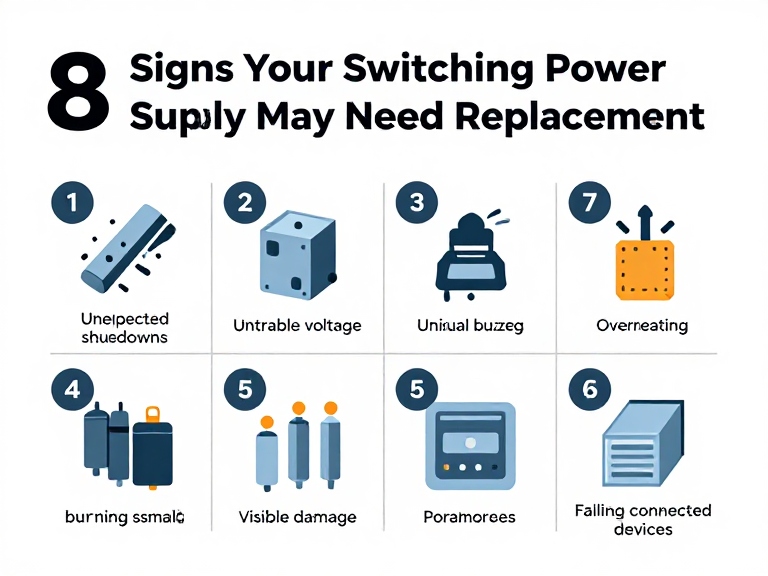
Quick Answer: When should you replace a switching power supply?
Consider replacing a switching power supply when it repeatedly produces unstable output, causes unexplained equipment resets, overheats under normal load, makes new or worsening electrical noises, struggles to start, or shows visible damage. A burning smell, smoke, melted insulation, or evidence of arcing means stop using it immediately and have it assessed by a qualified technician. Do not open or repair a mains-powered unit unless you are qualified to do so.
Our recommendation: Confirm the input supply, wiring, load demand, ventilation, and output measurements first. If the power supply itself is faulty, replace it with a unit matched to the required voltage, current, power, protection features, and operating environment.In this article
- What a switching power supply does
- 8 signs your switching power supply may need replacement
- How to check whether the power supply is really failing
- Repair, keep using, or replace?
- What to consider when buying a replacement
- Common replacement mistakes
- Who should replace—and who may not need to
- Choosing a suitable OHRIJA power solution
- Frequently asked questions
- References
What Is a Switching Power Supply?
A switching power supply, often called an SMPS, converts electrical power from one form to another using high-frequency switching circuits. An AC-to-DC model typically rectifies incoming AC power, switches it at high frequency, transfers energy through a transformer or another conversion stage, and regulates the output to the required DC voltage. DC-to-DC designs perform a similar conversion between DC voltage levels.
Compared with a traditional linear supply, a switching design can deliver useful power with less size and weight for many applications. It is widely used in industrial controls, LED systems, communications equipment, battery charging, automation, and electronic devices. If you need a more technical explanation of the circuit stages, see what an SMPS switch mode power supply is and how it works.
The supply is not just a voltage converter. It is part of the equipment’s protection and reliability chain. Its regulation, thermal design, current capacity, and protection behavior all affect the system it powers. That is why choosing a replacement based only on the number printed beside the output terminals is not enough.
8 Signs Your Switching Power Supply May Need Replacement

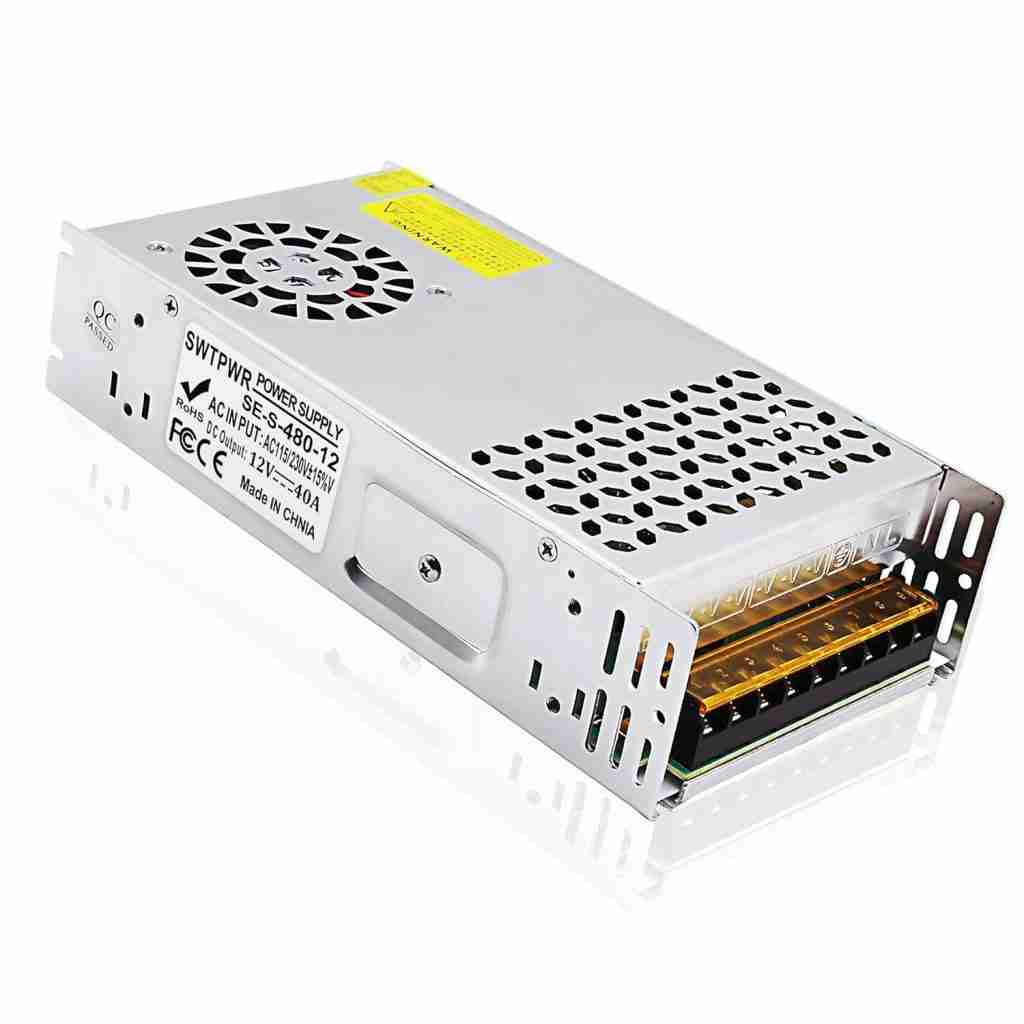
12V Power Supply 12V 40A 480W 50A 600W AC to DC Converter 110V/120V to 12V Transformer LED Driver Smart Cooling Fan Designed for LED Strip CCTV and Car Devices
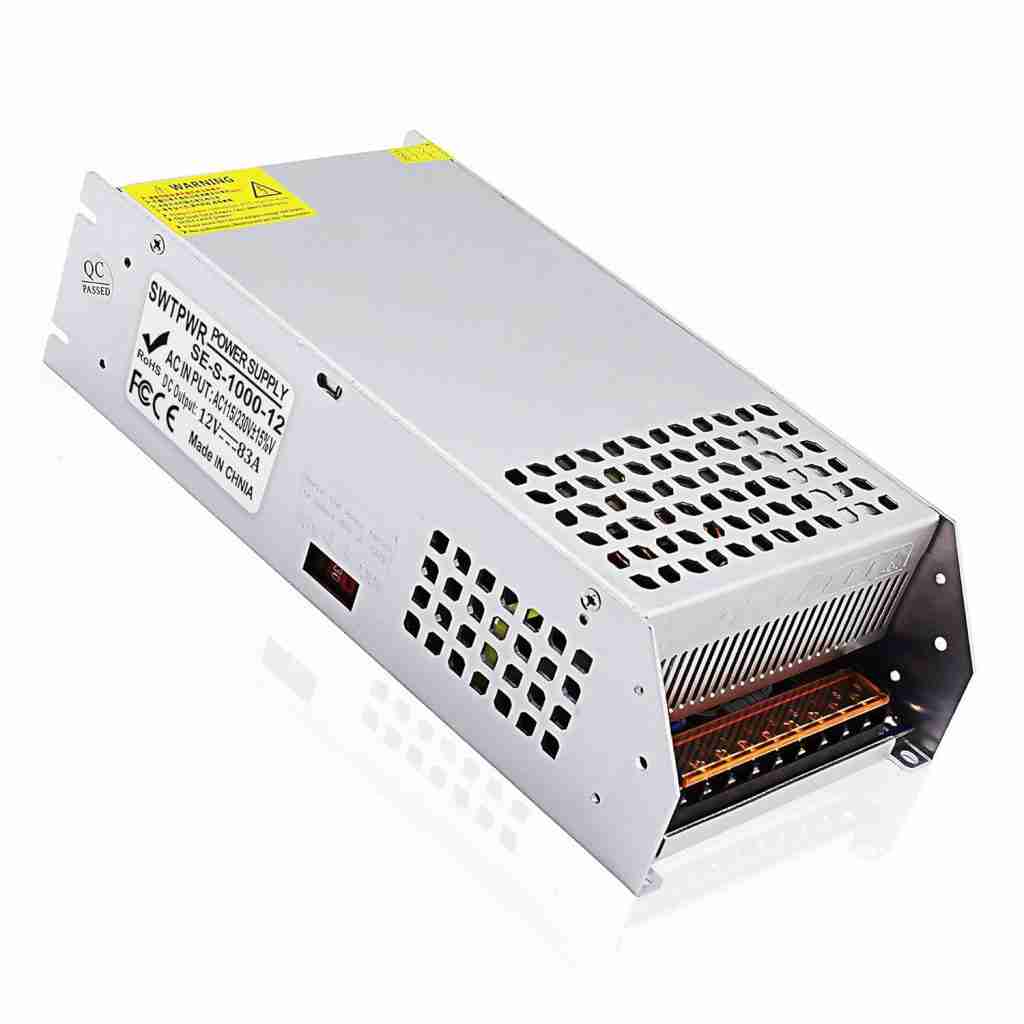
Price range: 13.90$ through 14.90$12V Power Supply 12V 83A 1000W AC to DC Converter 110V/120V to 12V Transformer LED Driver Smart Cooling Fan Designed for LED Strip CCTV and Car Devices
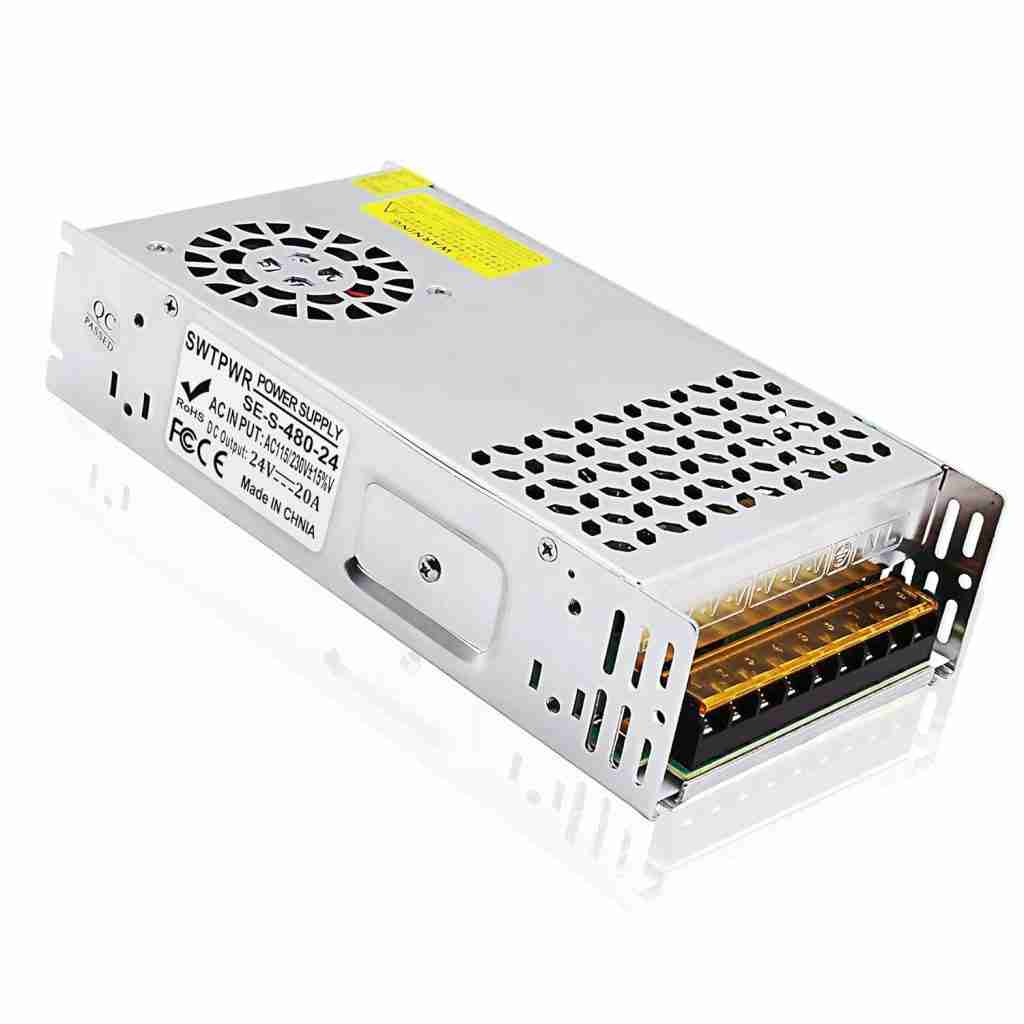
Price range: 29.90$ through 54.90$24V Power Supply 24V 20A 480W AC to DC Converter 110V/120V to 24V Transformer LED Driver Smart Cooling Fan Designed for LED Strip CCTV and Car Devices
Price range: 13.90$ through 14.90$DC 36V 27A 1000W Power Supply AC to DC Converter 110V to 36V Power Adapter 36V Transformer Designed for LED Light Car Stereo Automotive Electronics Industrial Equipment (36V-27A-1000W, 36V)
Price range: 29.90$ through 54.90$
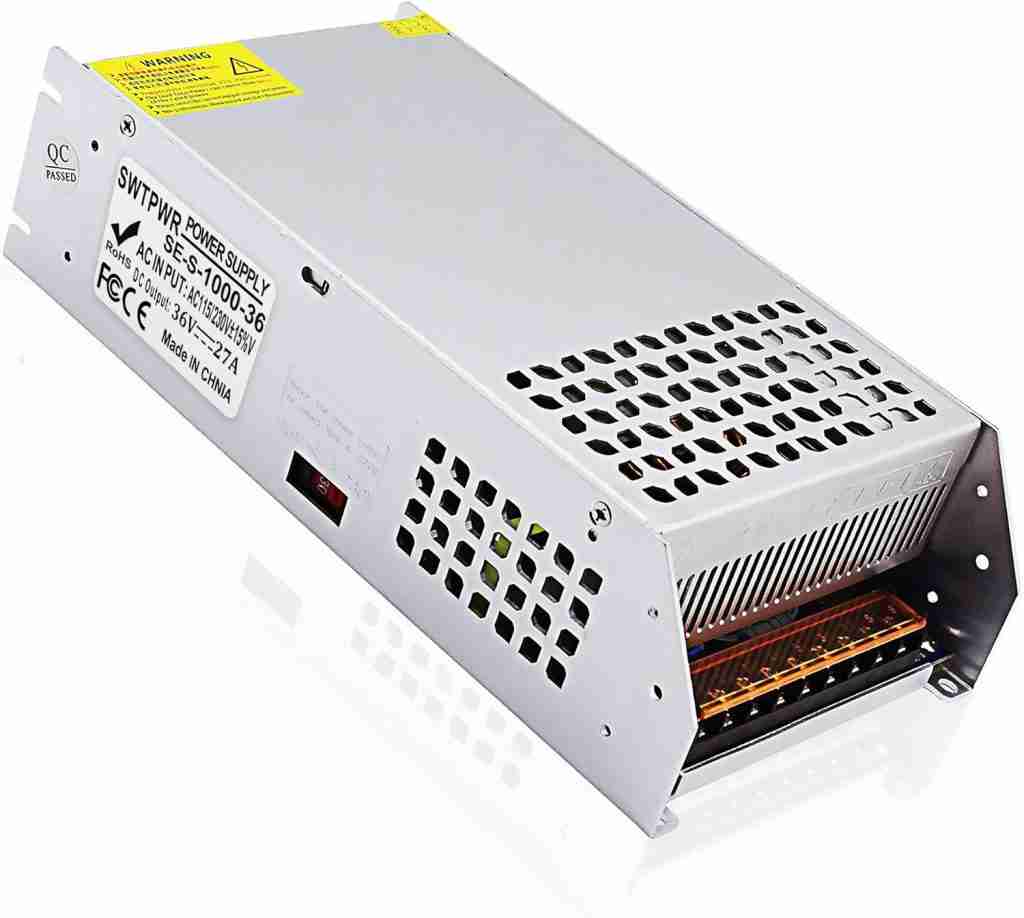
One symptom can have more than one cause. The following signs are strongest when they are new, recurring, and traceable to the power supply rather than the load or installation.
1Output Voltage Is Unstable
A healthy regulated power supply should keep its output within the manufacturer’s specified range when operating within its rated input, load, and temperature conditions. If the output voltage repeatedly rises, falls, or drifts beyond specification, connected equipment may behave unpredictably.
You may notice controller resets, relays dropping out, lights flickering, motors behaving inconsistently, or a DC device failing to start. In a workshop, a machine might run normally when idle but become unstable as soon as a motor, solenoid, or other load activates.
What to check: Have a qualified person measure the output at the supply terminals and, where appropriate, at the load while the system is operating. Compare readings with the unit’s rated output and the equipment manufacturer’s tolerance. Check terminal tightness and cable voltage drop as well. If the supply output itself remains outside specification after external causes are ruled out, replacement is usually the sensible option.
2Connected Equipment Randomly Resets or Shuts Down
Unexpected resets are often blamed on the controller, software, or the equipment itself. However, a switching power supply that cannot maintain output during load changes may cause the same symptoms. The problem can be especially noticeable when several devices start at once or when a motor draws a brief surge of current.
For example, an automation panel may work during light production but restart when an actuator engages. A charger may interrupt its cycle when the battery or charging load changes. These events do not automatically prove the power supply is defective, but repeated resets that correlate with load changes deserve investigation.
What to check: Compare the total continuous load and peak demand with the supply’s rated capacity. Inspect wiring, connectors, and protective devices. If the supply shuts down despite correct installation and a load within its specifications, an internal fault or deteriorated component may be responsible.
3The Unit Runs Hotter Than Normal
Some warmth is normal. Switching components dissipate heat, and the case temperature depends on load, ambient temperature, cooling design, and installation. The warning sign is a noticeable change: a unit that previously ran moderately warm now becomes excessively hot under the same operating conditions, or repeatedly enters thermal protection.
Heat accelerates aging in many electronic components. TDK explains that the useful life of many power supplies is strongly influenced by electrolytic capacitor life, which is temperature-dependent. This is one reason a supply installed in a hot cabinet or operated near its maximum load may age faster than an otherwise identical unit in a cooler environment.
What to check: Confirm that ventilation openings are clear, the specified mounting clearance is maintained, and the unit is not installed beside another major heat source. Check whether the load has increased. If overheating persists after installation and load problems are corrected, stop treating it as normal operating warmth and arrange a professional assessment.
4You Hear New Buzzing, Clicking, or Whining
Some switching supplies produce a faint operating sound. A fan may also be audible, and certain components can generate a low level of coil noise. The concern is a new, loud, intermittent, or progressively worsening sound, particularly when it occurs together with voltage instability, heat, or repeated shutdowns.
Clicking can sometimes be associated with protection circuits repeatedly starting and stopping. A high-pitched whine may change with load. Neither sound alone identifies a specific failed component, so avoid diagnosing the internal circuit by ear.
What to check: Note whether the noise changes with load and whether the unit is also overheating or losing output. Check externally for loose mounting hardware or vibration from nearby equipment. If the sound comes from inside the supply and is new or worsening, have it inspected. Replace the unit if testing confirms unreliable or unsafe operation.
5There Is a Burning Smell, Smoke, or Visible Damage
This is the clearest stop-use warning. A sharp burnt-electronics smell, smoke, melted connector, darkened circuit-board area, cracked enclosure, or evidence of arcing should never be dismissed as ordinary aging. Damage can involve insulation, terminals, switching components, or other parts that affect safe operation.
Safety first: If you see smoke, sparks, melting, or smell burning, disconnect power only if it is safe to do so. Do not touch exposed conductors or open the enclosure. Keep the equipment out of service and arrange inspection by a qualified technician. Do not repeatedly switch a suspect unit on to see whether it still works.
OSHA’s electrical safety guidance says defective electrical equipment should be removed from service until the necessary repairs and tests have made it safe. For many sealed or low-cost switching supplies, replacement with a correctly specified unit is more practical than attempting component-level repair.
6The Power Supply Takes Longer to Start or Fails to Start Reliably
A supply that once started immediately but now needs repeated power cycling, starts only when lightly loaded, or intermittently fails to produce output may have a developing fault. Aging capacitors, damaged connections, or failing control circuitry are possible causes, but the symptom is not conclusive on its own.
In commercial equipment, inconsistent startup can be more expensive than the supply itself. A production line that needs an operator to reset a power unit every morning is not operating reliably, even if the machine eventually starts.
What to check: Verify the AC input or DC source is within the permitted range and inspect upstream switches, fuses, and wiring. Check the manufacturer’s startup requirements and load limits. If the supply remains unreliable with a correct input and a suitable load, plan replacement rather than relying on repeated restarts.
7Output Ripple or Electrical Noise Is Affecting the Load
A DC output is not perfectly flat. Switching supplies have a specified ripple and noise range, and connected equipment is designed to tolerate a certain amount. The warning sign is ripple or noise that exceeds the manufacturer’s specification or has increased enough to cause visible or measurable problems.
Symptoms can include interference in sensitive electronics, unstable sensor readings, unexpected controller behavior, or poor performance in equipment that needs clean DC power. A basic multimeter may not reveal high-frequency ripple accurately; an oscilloscope and appropriate measurement technique may be required.
What to check: Ask a qualified technician to measure ripple and noise using the correct method and compare the result with the supply datasheet and the load’s requirements. If the supply fails the specification, replacement is preferable to adding random filters or capacitors without identifying the cause.
8The Unit Has Repeated Protection Trips or Cannot Support Its Normal Load
Overload, over-temperature, over-voltage, and short-circuit protection are useful features. They help limit damage when something goes wrong. But repeated protection trips during normal operation are not a condition to ignore. The cause could be a failing supply, an overloaded design, a shorted downstream device, or a new load that was added without recalculating capacity.
For instance, a control cabinet may have gained extra sensors, relays, or communication modules over time. The original supply may no longer have enough continuous current capacity or headroom for startup peaks. In that situation, replacing it with the same model may simply reproduce the problem.
What to check: Calculate the actual load, including simultaneous startup and peak demand. Check for short circuits and faulty loads. If the application has outgrown the existing unit, upgrade to a correctly rated supply rather than assuming the old one has failed.
How to Check Whether the Power Supply Is Really Failing
Before buying a replacement, separate a genuine power-supply fault from installation and load problems. This avoids spending money on a new unit that will fail in the same conditions.
- Record the symptom. Note when the problem occurs, whether it happens at startup or under load, and whether it is repeatable.
- Check the input source. Confirm that the AC input or DC input is within the manufacturer’s permitted range. An unstable upstream supply can imitate an internal fault.
- Inspect external connections. Look for loose terminals, damaged insulation, corrosion, overheated connectors, and undersized cables. Do not touch or adjust live connections.
- Review the load. Confirm that continuous current, peak demand, and total power are within the power supply’s ratings. Include all devices connected to the output.
- Check ventilation and temperature. Clear blocked vents and confirm the installation follows the manufacturer’s spacing and ambient-temperature instructions.
- Measure performance safely. A qualified person should check output voltage under realistic load and test ripple or other parameters when the application requires it.
- Compare with the datasheet. Decide based on specified operating limits rather than whether the unit appears to work intermittently.
Do not open a power supply to inspect capacitors or test internal circuits unless you have the training and equipment to do so. Internal capacitors can retain hazardous voltage after the input has been disconnected. For routine users, external inspection and professional testing are the appropriate limits.
Practical rule: If the fault follows the power supply when tested correctly with a known-good, compatible load, the case for replacement is strong. If the fault remains with the original equipment after a verified replacement supply is installed, investigate the load, wiring, or upstream source instead.
Repair, Keep Using, or Replace? A Practical Comparison
Not every old supply needs immediate replacement. A unit operating within specification, in a suitable environment, with no warning signs may remain serviceable. The decision changes when downtime, safety, or the cost of repeated troubleshooting becomes significant.
| Option | When it makes sense | Main advantage | Risk or limitation | Our recommendation |
|---|---|---|---|---|
| Keep using | Output remains within specification; no abnormal heat, noise, or damage; load is correctly sized. | No immediate purchase cost. | Age alone is not a fault indicator, but performance should still be monitored. | Reasonable for a healthy unit in a controlled environment. |
| Repair | The supply is serviceable, repairable, and supported by qualified technicians with suitable test equipment. | May preserve a specialized or expensive unit. | Repair quality, parts availability, testing, and downtime can outweigh savings. | Best considered for industrial or specialized equipment where repair is technically justified. |
| Replace like-for-like | The existing unit is faulty and the original rating still meets the application. | Simplifies integration when dimensions and electrical specifications match. | A like-for-like replacement will not fix an undersized or poorly ventilated installation. | Choose this when the original design remains appropriate. |
| Upgrade capacity or features | Load has increased, operating conditions have changed, or additional protection is required. | Can improve system margin and suitability. | Higher capacity alone does not guarantee compatibility or better reliability. | Recalculate the system first; upgrade only to solve a defined requirement. |
Pros and Cons of Replacing a Switching Power Supply
| Pros | Cons |
|---|---|
| Restores dependable output when the original unit is confirmed faulty. | Requires purchase cost and time for installation and verification. |
| Can reduce repeated resets, troubleshooting, and unplanned downtime. | A replacement with the wrong voltage, polarity, or current rating can damage the load. |
| Creates an opportunity to correct insufficient capacity or poor environmental suitability. | Physical dimensions, mounting, terminal layout, and wiring may differ. |
| A current model may offer protection features better suited to the application. | Replacing the supply will not fix a faulty load, poor wiring, or unstable input source. |
What to Consider When Buying a Replacement Switching Power Supply
Do not select a replacement by wattage alone. In most professional situations, matching the electrical requirements and installation conditions matters more than choosing the biggest unit available.
1. Match the Output Voltage
The replacement output voltage must match the equipment’s required input voltage. A 12V load generally needs a suitable 12V supply, while a 24V control system needs a 24V source unless its manufacturer specifies otherwise. Do not assume a device can tolerate a higher voltage simply because the connector fits.
Browse OHRIJA’s DC power supply range when comparing DC output options, and check the equipment’s nameplate before selecting a model.
2. Confirm Current and Power Capacity
Current capacity must meet or exceed the actual load requirement. As a basic calculation, output power in watts is voltage multiplied by current. For example, a 24V load drawing 5A requires 120W before allowing for any design margin. The supply should also handle relevant startup or transient demand within its specified limits.
Do not apply one universal oversizing percentage to every system. The correct margin depends on the load profile, ambient temperature, duty cycle, and the manufacturer’s derating guidance. For a 12V application, compare the load with a suitable unit such as an OHRIJA 12V 30A 360W power supply only when its ratings and other specifications match the actual system.
3. Check Input Voltage and Frequency
Confirm the supply supports the AC input range and frequency available at the installation site. For DC-input systems, verify the permitted input range and polarity. A supply intended for one input condition should not be assumed compatible with another.
4. Check Regulation, Ripple, and Protection
Look at output regulation, ripple and noise, overload protection, over-voltage protection, short-circuit protection, and over-temperature protection where applicable. The required performance depends on the load. Sensitive control electronics may need tighter output quality than a less demanding application.
For equipment used in the information and communications technology field, IEC 62368-1 is an important product safety standard. It uses an energy-source and safeguard approach to reduce risks such as injury and fire. The applicable standard for your end product may differ, so verify the requirements for the complete system rather than assuming one standard covers every installation.
5. Consider Cooling, Mounting, and Environment
Check whether the supply uses fan cooling or natural convection, and whether the enclosure provides adequate airflow. Confirm the allowed ambient temperature, humidity, dust exposure, vibration, and mounting orientation. A unit that is electrically correct but installed in a hot, enclosed cabinet without suitable airflow may have a shortened service life.
6. Verify Physical and Electrical Compatibility
Check dimensions, mounting holes, terminal positions, connector type, polarity, grounding requirements, and wiring size. Confirm that the replacement can be installed without unsafe modifications. For adjustable applications, review the output adjustment range and make sure it cannot be accidentally set outside the connected equipment’s permitted voltage.
If variable output is a genuine requirement, compare models in the adjustable power supply category rather than using a fixed-output model and attempting an improvised modification.
Common Mistakes When Replacing a Switching Power Supply
- Choosing the same wattage without checking voltage. Output voltage must be correct first; wattage does not make an incompatible voltage safe.
- Ignoring peak current. Motors, solenoids, and some electronic loads draw more current during startup than during steady operation.
- Assuming a higher-current rating forces more current into the load. A correctly regulated supply rated for a higher maximum current generally provides capacity, not a command to deliver that current. Voltage, compatibility, and protection still matter.
- Overlooking polarity. Reversing positive and negative connections can damage equipment immediately.
- Ignoring temperature derating. The rated output may need to be reduced at higher ambient temperatures or under restricted cooling conditions.
- Replacing the unit without checking the cause. A shorted load, loose terminal, blocked ventilation, or unstable input can damage or trip the replacement too.
- Assuming every power supply is interchangeable. Form factor, isolation, grounding, safety approvals, and output characteristics can all affect suitability.
Who Should Replace a Switching Power Supply—and Who May Not Need To?
Replacement is worth prioritizing for:
- Commercial users: Businesses that depend on continuous operation should not accept recurring resets or unexplained downtime as normal.
- Industrial equipment operators: A failing supply in a control panel can interrupt multiple devices and complicate fault diagnosis.
- Battery charging systems: Charging equipment must provide the correct output profile and electrical characteristics for the battery chemistry and battery management system. Do not substitute a generic DC supply for a dedicated charger.
- Systems with safety-critical functions: Any supply showing physical damage, burning, or unsafe operation should be removed from service and assessed promptly.
- Users with a changed load: An upgraded machine or added equipment may need a higher-capacity or different type of supply.
You may not need replacement if:
- The unit is operating within its specified voltage, current, temperature, and ripple limits.
- The symptom is caused by a loose external connection or a faulty downstream device that can be safely corrected.
- The supply is simply warm within its normal operating range and has no other warning signs.
- The issue is an undersized design rather than a failed unit; in that case, select a properly sized replacement instead of repeating the original specification.
For beginners, the safest approach is to record the model number, input rating, output voltage, current, and visible symptoms, then ask a qualified technician or supplier to confirm compatibility. Do not open a sealed supply or probe internal circuits without the right training.
Choosing a Suitable OHRIJA Power Solution
OHRIJA is a brand of Dongguan Hengruihong Technology Co., Ltd., established in 2020 and headquartered in Dongguan, Guangdong, China. The company integrates research and development, production, and sales, with products including switching power supplies, power adapters, lithium battery chargers, lithium iron phosphate battery chargers, lead-acid battery chargers, and golf cart chargers.
When replacing a supply, start with the electrical specification rather than the product name. OHRIJA’s power supply range and DC power supply options provide starting points for comparing output requirements. For higher-voltage applications, review the details of options such as the DC 48V 20A 1000W power supply or DC 60V 16A 1000W AC-to-DC power supply only if those ratings match your equipment.
Battery charging is a separate selection decision. A charger must be compatible with the battery chemistry, nominal voltage, charging profile, and BMS requirements. If your project involves LiFePO4 batteries, review the practical steps for charging LiFePO4 batteries with a BMS and solar power before choosing charging equipment.
Need a Battery Charger Rather Than a General DC Supply?
A dedicated battery charger is designed around the charging requirements of a battery system. Do not treat a standard switching power supply as a direct substitute unless the complete charging design explicitly supports that use.
Explore the OHRIJA battery charger guide
Quick Summary: 8 Warning Signs and the Right Action
| Warning sign | Possible issue | Recommended action |
|---|---|---|
| Unstable output voltage | Regulation fault, connection issue, or overload | Measure under load; replace if output is out of specification. |
| Random resets or shutdowns | Voltage dips, peak load, or protection activation | Check load demand, wiring, and output stability. |
| Abnormal overheating | Restricted cooling, overload, or component aging | Correct ventilation and load; replace if overheating persists. |
| New or worsening noise | Vibration, fan issue, or internal component problem | Inspect externally and arrange qualified testing. |
| Burning smell or visible damage | Possible electrical or thermal damage | Stop using it; remove from service and arrange assessment. |
| Unreliable startup | Input, connection, or internal startup fault | Verify input and connections; replace if the fault is confirmed. |
| Excessive ripple or noise | Filtering or regulation degradation, or unsuitable supply | Measure with suitable equipment; replace if outside specification. |
| Repeated protection trips | Overload, short circuit, heat, or failing supply | Check the load and installation before selecting a correctly rated unit. |
Expert Recommendation: Replace Based on Performance, Not Age Alone
There is no universal service-life number that applies to every switching power supply. Operating temperature, load, component selection, ventilation, input quality, and duty cycle all influence useful life. TDK’s technical guidance highlights the role of electrolytic capacitor life and temperature, but actual service life depends on the conditions in which the unit operates.
Our recommendation is straightforward: do not replace a healthy supply simply because it has reached an arbitrary age, but do not keep a suspect unit in service just because it still turns on. When a supply repeatedly falls outside its specified performance, causes costly downtime, or shows signs of physical damage, replacement is usually the more responsible decision.
For commercial users, the best replacement is not automatically the highest-wattage model or the cheapest available option. It is the correctly rated unit with suitable protection, cooling, environmental tolerance, and documented specifications. Confirm those details before installation, then verify the output under the real operating load.
Frequently Asked Questions
1. How do I know if my switching power supply is failing?
Common warning signs include unstable output voltage, repeated equipment resets, abnormal overheating, unusual buzzing or clicking, unreliable startup, excessive output ripple, and repeated protection trips. Burning smells, smoke, or visible damage require immediate stop-use action. Confirm the fault with appropriate testing before deciding on replacement.
2. How long does a switching power supply usually last?
There is no single lifespan for all switching power supplies. Useful life depends on component quality, operating temperature, load, ventilation, duty cycle, and the installation environment. Electrolytic capacitors and cooling fans, where fitted, can be important life-limiting components. Follow the manufacturer’s reliability data for the specific model.
3. Can a faulty switching power supply damage connected equipment?
It can. A supply that produces output outside the connected equipment’s permitted voltage or ripple limits may cause malfunction or damage, depending on the design and protection of the load. If output is unstable or there is evidence of electrical damage, disconnect the equipment safely and have the system checked.
4. Is it normal for a switching power supply to get hot?
Some operating warmth is normal because power conversion produces heat. Excessive or newly increased temperature, thermal shutdowns, discoloration, or a burning smell are not normal signs to ignore. Check the rated ambient temperature, load, mounting, and ventilation. Have persistent overheating investigated.
5. Can I replace a switching power supply with one that has a higher wattage?
Often, a higher maximum wattage can be suitable if the output voltage, polarity, regulation, input range, safety requirements, connectors, and other specifications are compatible. The higher rating provides available capacity; it does not by itself ensure compatibility. Check the equipment manufacturer’s requirements before installation.
6. Why does my power supply keep shutting down?
Possible causes include overload, short circuit, excessive temperature, unstable input power, loose connections, or an internal fault. Protection shutdowns may be preventing damage. Identify and correct the cause rather than repeatedly restarting the supply.
7. Should I repair or replace a switching power supply?
Repair may make sense for specialized or expensive equipment when a qualified technician can source suitable parts and complete the required safety and performance tests. For common sealed supplies, replacement is often more economical and predictable. The decision should include parts, labor, downtime, and the reliability required by the application.
8. Can I use a switching power supply as a battery charger?
Not automatically. A battery charger must provide the charging profile and control behavior required by the battery chemistry and battery management system. A standard DC supply may not provide the correct charging stages or protections. Use a charger designed and specified for the battery system.
9. What should I check before ordering a replacement?
Check the required output voltage, current, wattage, input range, polarity, ripple tolerance, protection features, operating temperature, cooling, mounting dimensions, connectors, and relevant safety approvals. Also confirm continuous and peak load requirements rather than relying only on the old supply’s label.
10. Is a buzzing switching power supply always defective?
No. Some supplies produce faint operating noise, and fan or mechanical vibration can also be audible. A new, loud, intermittent, or worsening sound—especially when combined with heat, unstable output, or shutdowns—should be investigated. Do not open the enclosure to diagnose it yourself.
References
- TDK Product Center – How can I check the useful life of a product?. Technical guidance on power-supply useful life, electrolytic capacitor aging, temperature, and fan life.
- International Electrotechnical Commission – IEC 62368-1:2023. Product safety standard covering energy sources and safeguards for audio/video, information, and communications technology equipment.
- U.S. Occupational Safety and Health Administration – 29 CFR 1910.334, Use of Equipment. Requirements and guidance concerning inspection and removal from service of damaged electrical equipment.
Always follow the power supply manufacturer’s datasheet, installation instructions, and the electrical safety requirements applicable to your equipment and location. Electrical measurements and repairs should be performed by qualified personnel using appropriately rated instruments.
