

In the realm of industrial electronics and high-capacity battery charging, assuming that flipping a switch is a foolproof action is a dangerous misconception. Every year, thousands of expensive electrical components, server racks, and battery management systems are destroyed because operators do not understand the underlying physics of electrical switching. When you query how to use power switch on power supply units, you are not just asking about a mechanical button; you are dealing with massive inrush currents, input voltage selections, and arcing thresholds.
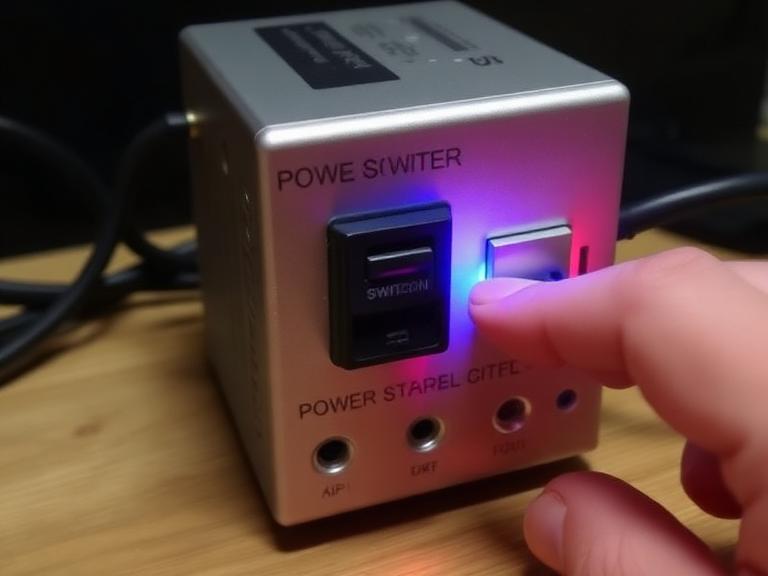
From our experience engineering advanced AC to DC conversion systems at Ohrija, the primary cause of premature power supply failure is improper switching sequencing. Whether you are installing a massive 5000W industrial unit or simply connecting a 54.6V 5A eBike battery charger, knowing exactly when and how to engage the power supply is critical. In this comprehensive guide, we will break down the exact protocols required to operate your equipment safely, evaluate the consequences of doing it wrong, and provide you with actionable, commercial-grade advice.
Quick Answer: The Correct Switching Protocol
To safely and properly manage industrial and commercial units, knowing exactly how to use power switch on power supply hardware involves a strict operational sequence:
- Verify the Input Voltage: Before plugging anything in, locate the 115V/230V selector switch (if your unit is not auto-ranging). Ensure it matches your local grid voltage. Setting a 115V switch on a 230V grid will cause an instant, catastrophic blowout.
- Disconnect the DC Load: Ensure the device you are powering (the load) is disconnected or turned off.
- Engage the Main AC Switch: Flip the main I/O rocker switch to the “I” (On) position. You may hear a soft click or see an LED illuminate as the internal capacitors pre-charge.
- Verify Output: Use a multimeter to confirm the DC output voltage is stable.
- Connect the Load: Only after the power supply is actively running and stable should you engage the downstream load.
Table of Contents
- What is the Power Switch on a Power Supply?
- How It Works: The Physics of Inrush Current
- Benefits of Proper Switching Protocols
- Limitations of Manual Switches
- Who Should Use Specific Switching Methods
- Common Mistakes that Destroy Equipment
- Expert Buying Considerations
- Pros and Cons: Manual vs Remote Switching
- Comparison: AC Input vs DC Output Switching
- Ohrija Expert Recommendation
- Frequently Asked Questions (FAQ)
What is the Power Switch on a Power Supply?
When discussing how to use power switch on power supply hardware, we must clarify that there are typically three distinct switching mechanisms on commercial Switch Mode Power Supplies (SMPS).
First is the Voltage Selector Switch. Usually recessed and colored red, this switch toggles the primary winding configuration between 110-120V and 220-240V AC. Second is the Main AC Rocker Switch (I/O), which physically breaks or connects the live wire from the grid to the internal rectifier circuit. Finally, high-end units feature Remote Control Terminals (often labeled RC), which allow the unit to remain connected to AC power but kept in a standby state until a low-voltage DC signal tells the internal circuitry to activate the main output.
How It Works: The Physics of Inrush Current
To understand why sequence matters, you must understand what happens inside a switching power supply when you flip the switch. When you turn on an AC to DC power supply 24V 15A, empty bulk capacitors inside the unit suddenly demand an instantaneous surge of electricity from the wall to fill up. This is known as “inrush current.”
In poorly designed generic units, this inrush current can exceed 60 amps for a fraction of a second, which is enough to weld the metal contacts inside a cheap rocker switch together or trip your facility’s circuit breakers. High-quality power supplies utilize an NTC (Negative Temperature Coefficient) thermistor or active soft-start relays to choke this initial surge, protecting both the switch and the capacitors. Therefore, understanding how to use power switch on power supply units means giving the unit a moment to stabilize its internal capacitors before asking it to deliver massive power to a load.
Benefits of Proper Switching Protocols
In most professional situations, enforcing a strict startup sequence drastically extends the lifespan of your equipment. By turning the power supply on before connecting a heavy load (like a massive bank of stepper motors or a depleted lithium battery), you prevent “voltage sag.” If you connect a dead battery to a charger and then flip the AC switch, the charger struggles to boot up its logic circuits while simultaneously being drained by the battery. Connecting an 84V electric scooter charger correctly—turning on the AC first, waiting for the green light, and then plugging in the battery—prevents connector arcing and prolongs the life of your expensive BMS (Battery Management System).
Limitations of Manual Switches
Manual mechanical switches have a finite lifespan. In a heavy-duty industrial environment, a physical rocker switch is prone to dust ingress, mechanical wear, and contact degradation due to micro-arcing. Furthermore, a manual switch requires human intervention. If a power grid fails and comes back online, a manual switch left in the ‘ON’ position will subject the power supply to the chaotic, dirty power surges typical of a grid reboot. This is a severe limitation for autonomous systems.
Who Should Use Specific Switching Methods (And Who Does Not Need To)
For commercial users: If you are managing automated CNC machines, server farms, or complex telecommunications arrays, you should not rely on manual AC rocker switches for daily operation. You should hardwire the AC input and utilize the remote ON/OFF sensing pins connected to a PLC (Programmable Logic Controller). This allows for sequenced, automated startup.
For beginners: If you are using a standard 12V LiFePO4 battery charger 30A for an RV or marine battery, the manual switch is perfectly sufficient. However, you must adhere to the rule of powering the charger from the wall *before* connecting the alligator clips to the battery terminals to avoid hazardous sparks.
Common Mistakes that Destroy Equipment
Expert Warning: The most catastrophic mistake we see is operators flipping the 115V/230V selector switch while the unit is plugged into the wall. This switch alters the physical wiring of the transformer. Moving it while under load will result in an immediate, explosive failure of the primary side components.
Another major error is attempting to use the AC power switch as an emergency stop (E-Stop) for a heavy inductive load, like a large DC motor. If you cut the AC power to a 12V 50A power supply 600W while a motor is running at full speed, the motor becomes a generator. The back-EMF (Electromotive Force) slams back into the power supply’s output capacitors, often destroying them instantly. You must switch off the DC load first, then turn off the AC power supply.
Expert Buying Considerations
When sourcing power solutions, do not buy generic units that lack inrush current protection. In our testing, cheap power supplies have rocker switches rated for only 10A, while the internal inrush current hits 40A, causing the switch to literally melt after a few dozen cycles. As a leading adjustable power supply manufacturer, Ohrija builds units with active Power Factor Correction (PFC) and robust soft-start circuitry, completely eliminating switch degradation.
Pros and Cons: Manual vs Remote Switching
| Switching Method | Pros (Advantages) | Cons (Disadvantages) |
|---|---|---|
| Manual AC Rocker Switch | Simple, absolute physical disconnect of grid power, zero standby power consumption. | Prone to mechanical wear, contact arcing, requires human physical intervention. |
| Remote ON/OFF Control (Pins) | Allows automated startup sequencing, integrates with PLCs, eliminates mechanical wear. | Power supply remains connected to live AC, consumes minor standby power. |
Comparison: AC Input Switching vs DC Output Switching
Many users confuse whether they should switch the power supply on/off at the wall (AC) or put a switch between the power supply and the device (DC). Here is the reality.
| Parameter | Switching the AC Input (Primary) | Switching the DC Output (Secondary) |
|---|---|---|
| Arcing Risk | Low (AC current crosses zero 120 times a second, extinguishing arcs). | Very High (High-current DC maintains continuous arcs, melting switches). |
| Component Stress | Moderate (Causes capacitor inrush current). | High (Sudden load application can crash the SMPS regulation loop). |
| Efficiency | Excellent (Zero power wasted when off). | Poor (Power supply idles, wasting energy and generating heat). |
Ohrija Expert Recommendation
For heavy-duty applications, resolving how to use power switch on power supply hardware effectively requires utilizing equipment engineered for industrial rigors. We absolutely recommend transitioning away from standard manual rocker switches for loads exceeding 2000W and moving toward smart-switching and remote-control capable units.
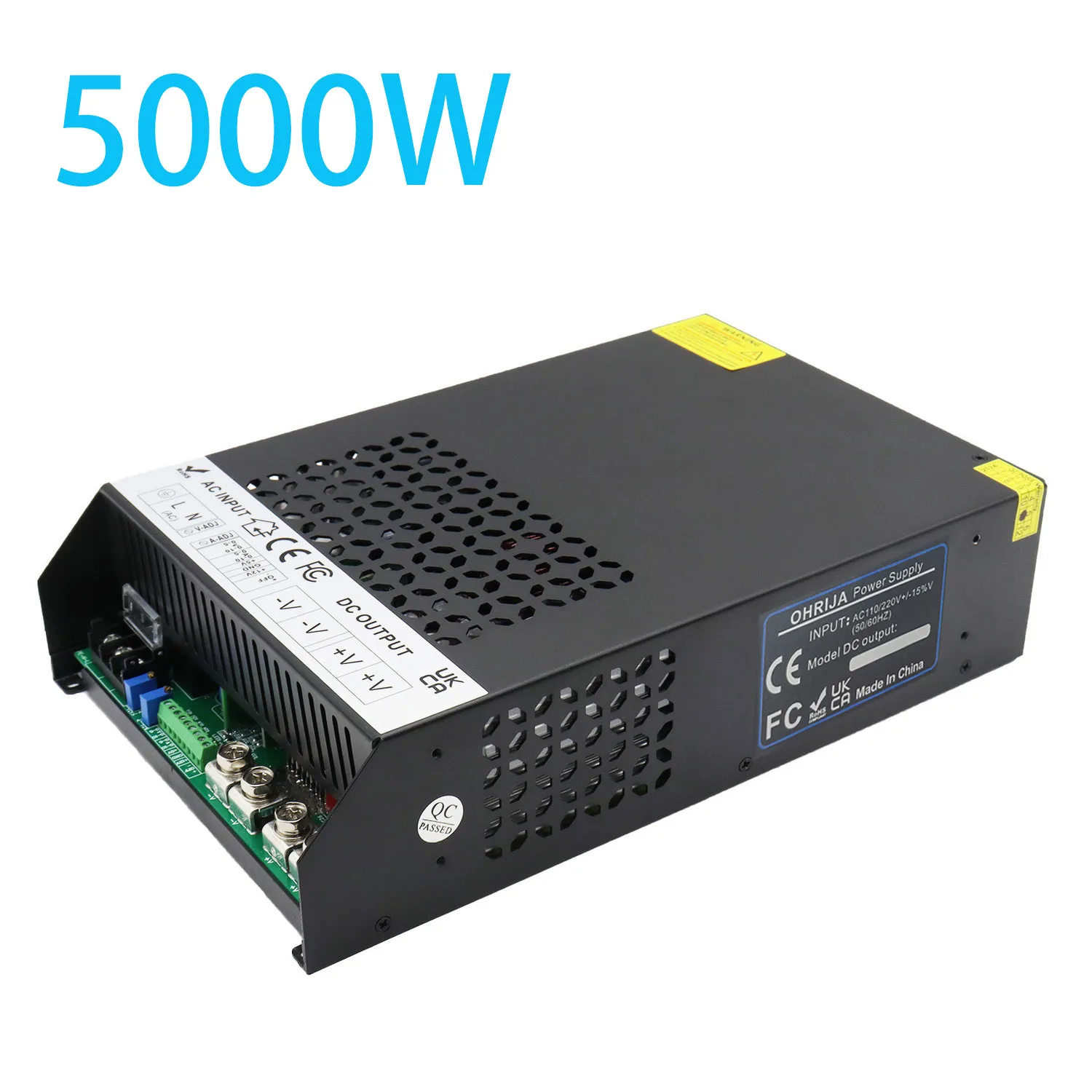
SE-5000 Series 5000W High Power AC-DC Switching Power Supply
Rated for continuous 5000W total output power, this power supply features an input range of AC 185-265V, compatible with most global single-phase commercial and industrial grid power. The wide-voltage input tolerance allows stable operation amid common mains voltage fluctuations, voltage sags and minor grid noise, reducing downtime risk for your finished equipment.
Output DC voltage portfolio covers a comprehensive selection to match diverse project requirements:
- Main standard voltages: DC12V, DC24V, DC36V, DC48V, DC60V, DC72V
- Intermediate special-purpose voltages: 13.8V, 15V, 18V, 21V, 27V, 28V, 30V, 32V, 42V, 70V
- High-voltage output group: DC80V, DC90V, DC100V, DC110V, DC120V
- Custom development: Non-standard special DC output voltages can be developed upon OEM bulk-order requests.
This unit is specifically engineered to handle immense inrush currents and provides terminal-based remote switching capabilities, protecting your operation from the pitfalls of manual human error.
Frequently Asked Questions (FAQ)
Is it bad to turn off the power supply switch every night?
No, it is not inherently bad. Turning off the main AC switch saves energy and protects the unit from overnight grid power surges. However, doing so rapidly and repeatedly (multiple times a minute) can overheat the inrush current limiters (thermistors) and cause failure.
Why does a spark happen when I plug in my eBike charger?
A spark occurs because the output capacitors inside the charger are empty, and the battery instantly dumps massive current into them to equalize the voltage. To prevent this, always plug your 48V 10A eBike charger into the AC wall outlet first, turn it on, and then plug it into the battery. This equalizes the voltage and prevents connector arcing.
What does the 115V/230V red switch do?
This is the input voltage selector. It physically changes how the primary coils in the transformer are wired. If you live in North America (110-120V), it must be set to 115V. If you live in Europe or Asia (220-240V), it must be set to 230V. Never change this switch while the unit is connected to power.
Can I use a smart plug to switch my industrial power supply on and off?
In most professional situations, we do not recommend this for high-wattage units. Consumer smart plugs rely on tiny internal relays that will weld shut when subjected to the severe inrush current of a 1000W+ industrial power supply. Use contactors designed for inductive/capacitive loads instead.
Authoritative References & Safety Standards
To ensure total compliance with industrial safety protocols regarding electrical switching and power supply handling, we advise consulting the following standards:
- IEEE (Institute of Electrical and Electronics Engineers): Guidelines on managing inrush currents and switch degradation in high-power AC-DC conversion systems. Visit IEEE Standards
- NEMA (National Electrical Manufacturers Association): Safety ratings and operational parameters for industrial enclosures, switches, and electrical interfaces. Visit NEMA
- OSHA (Occupational Safety and Health Administration): Federal safety regulations regarding the isolation, switching, and lockout/tagout procedures for industrial electrical equipment. Visit OSHA